Jubo: The Build Story
How a non-developer built and shipped a real game with an AI coding partner

Contents
- 00Introduction: who this is for
- 01The Idea
- 02The First Playable
- 03Making It Feel Good
- 04Dressing It Up: themes, art-by-code, sound
- 05More Ways to Play: game modes
- 06Going Global: online leaderboards
- 07Coins, Not Cash-Grabs: a fair economy
- 08The Comeback Machine: getting players to return
- 09Putting It Online: hosting & auto-deploys
- 10The Team Room: automating updates
- 11Testing Without a Phone
- 12To the App Store
- 13Working With an AI Build Partner
- 14The Bug Sweep
- 15The Rename: LEAP Becomes Jubo
- 16The Machine: Building the Thing That Builds the Games
- 17The Honest Playtest
Introduction: who this is for
You don't need to be a programmer to build and ship a real game anymore. This is the proof, and the playbook.
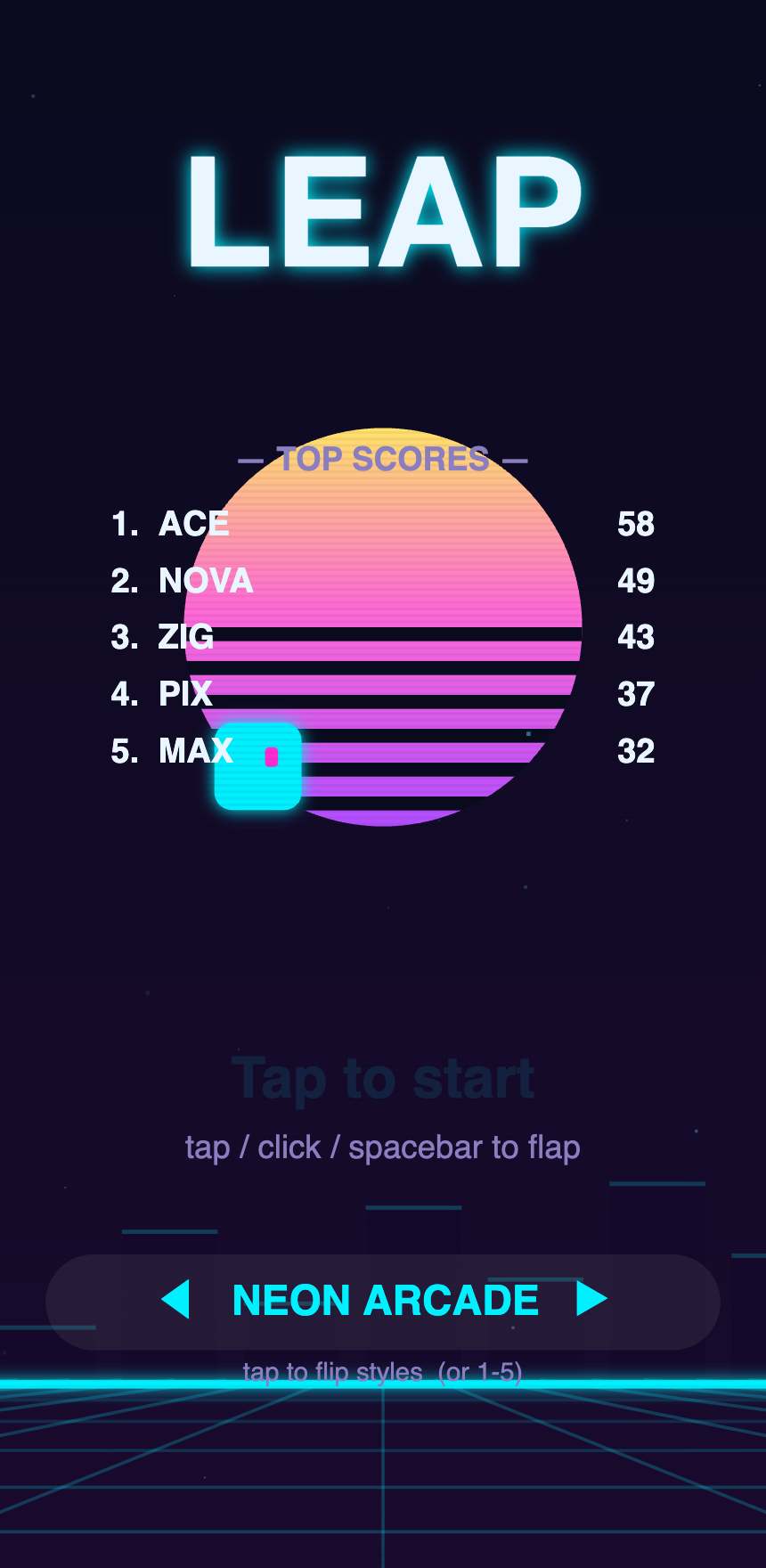
I'm not a game developer. My day job is accounting. I spend more time in spreadsheets than in code editors. But I had a small idea for a tap-to-fly game, a laptop, and an AI coding assistant that could actually write the software for me — and a few weeks later the game was live on the internet, with a global leaderboard, that anyone in the world could play.
This book is the exact story of how that happened: every decision, every wrong turn, and every "wait, it can just do that?" moment — told so that you can do the same thing, even if the most code you've ever written is =SUM(A1:A10).
Who this is for
- The idea person who can't (yet) code. You have a thing you want to build and have
been waiting to "learn to program" first. You may not have to.
- The hobbyist or side-hustler who wants to actually ship something, not just tinker.
- The curious skeptic who's heard "AI can build apps now" and wants to see what that
realistically looks like — including the limits.
You do not need a computer science degree, a team, a Mac, or money for servers. You need an idea, a few hours here and there, and a willingness to describe what you want clearly.
What's different about this book
Most "build a game" tutorials invent a tidy example and walk you through it. This one follows a real game that's really live, built in the open. When you read "here's how we added a global leaderboard," it's the leaderboard real players are using right now. The screenshots are real. The mistakes were real and cost real hours.
And the through-line — the thing that makes any of this possible for a non-developer — is that I didn't write most of the code. I worked with an AI coding partner. My job was to know what I wanted, describe it, look at the result, and say "yes" or "not quite, here's what's off." The AI's job was to turn that into working software, explain trade- offs, catch its own bugs, and remember the plan between sessions. Throughout the book, the 👉 Working with your AI partner boxes show you exactly how that collaboration works in practice.
The game we built: Jubo (built under the name "LEAP")
Jubo is a one-tap arcade game — tap to fly your little purple comet-bird, dodge the obstacles, grab power-ups, climb the leaderboard. Simple on purpose: a small enough idea to actually finish, with enough room to keep making it better. By the end of this book it has themes, multiple game modes, online leaderboards, a fair in-game economy, daily rewards, and a path to the App Store.
One thing to know before you start: for almost the entire build, this game was called LEAP — that's the name you'll see in most of the screenshots and in the early chapters. Right before launch we renamed it Jubo, after its hero. It's the same game the whole way through; Chapter 15 tells you why we changed the name at the last minute, and why that decision may matter more than any single feature.
How to use it
Read it straight through for the story, or jump to the chapter for the thing you're stuck on. Every chapter ends with 🛠️ Try it yourself — small, concrete steps you can do today. You learn this by doing it, not by reading about it.
Let's start where every project starts: with an idea, and the courage to keep it small.
→ [Chapter 01 — The Idea](01-the-idea.md)
The Idea
The hardest part of finishing a project is choosing one small enough to finish.
The goal. Pick something I could actually build and ship — not a dream game with open worlds and multiplayer battles, but a complete, fun, small thing with a beginning and an end.
The snag. Every exciting idea I had was too big. "An RPG." "A racing game." Those are years of work for whole studios. When you can't code yet, a big idea isn't ambitious — it's a guarantee you'll quit halfway.
What we did. I went the other direction and asked: what's the smallest game that's still genuinely fun? The answer is the one-tap genre — games like Flappy Bird. One button. You tap to fly up; gravity pulls you down; you thread through gaps. A child understands it in three seconds. And crucially, it's small enough to finish — which means it's small enough to then make better, and better, and better.
That "small enough to finish, big enough to grow" test is the most important decision in this whole book. We picked a tap-to-fly game and named it LEAP. (That name rode along for almost the entire build — until, right before launch, we renamed the game Jubo, after its hero. Chapter 15 is the story of why a studio would rename its own game at the eleventh hour, and why it was worth the nerve.)
The lightbulb. Scope is the real enemy, not difficulty. A finished tiny game beats an unfinished masterpiece every single time — because once it's finished and live, you can improve it forever. Shipping is a habit you build on the small stuff first.
👉 Working with your AI partner
This is where an AI assistant changes the math for a non-coder. I described the game in plain English — "a game where you tap to make a character fly up, and you dodge pipes coming at you, and it gets harder over time" — and asked it to build the simplest playable version in a single file I could open in a web browser.
A few things I learned to do from the start:
- *Describe the experience, not the code.* I don't know the code words. I know what it
should feel like. "It should feel floaty but responsive" is a perfectly good instruction.
- Ask it to keep things simple and explain its choices. I asked for "no complicated
tools, just one file." That decision (more in the next chapter) paid off for months.
- Let it carry the memory. We kept a short plan/notes file in the project so that each
new working session started by reading "where we are and what's next." The AI updates it at the end of each session. That's how a part-time project stays coherent over weeks.
🛠️ Try it yourself
- Write your idea in one sentence a 10-year-old would understand. If you can't, it's
too big — shrink it.
- Apply the test: *Could a beginner realistically finish a first version in a couple of
weekends?* If no, cut features until yes.
- Open a chat with an AI coding assistant and describe the experience you want. Ask it for
"the simplest possible playable version, in one file I can open in a browser." Don't worry about "good" yet. Worry about running.
→ [Chapter 02 — The First Playable](02-first-playable.md)
The First Playable
The goal isn't "good." The goal is "it runs, and I can tap it."
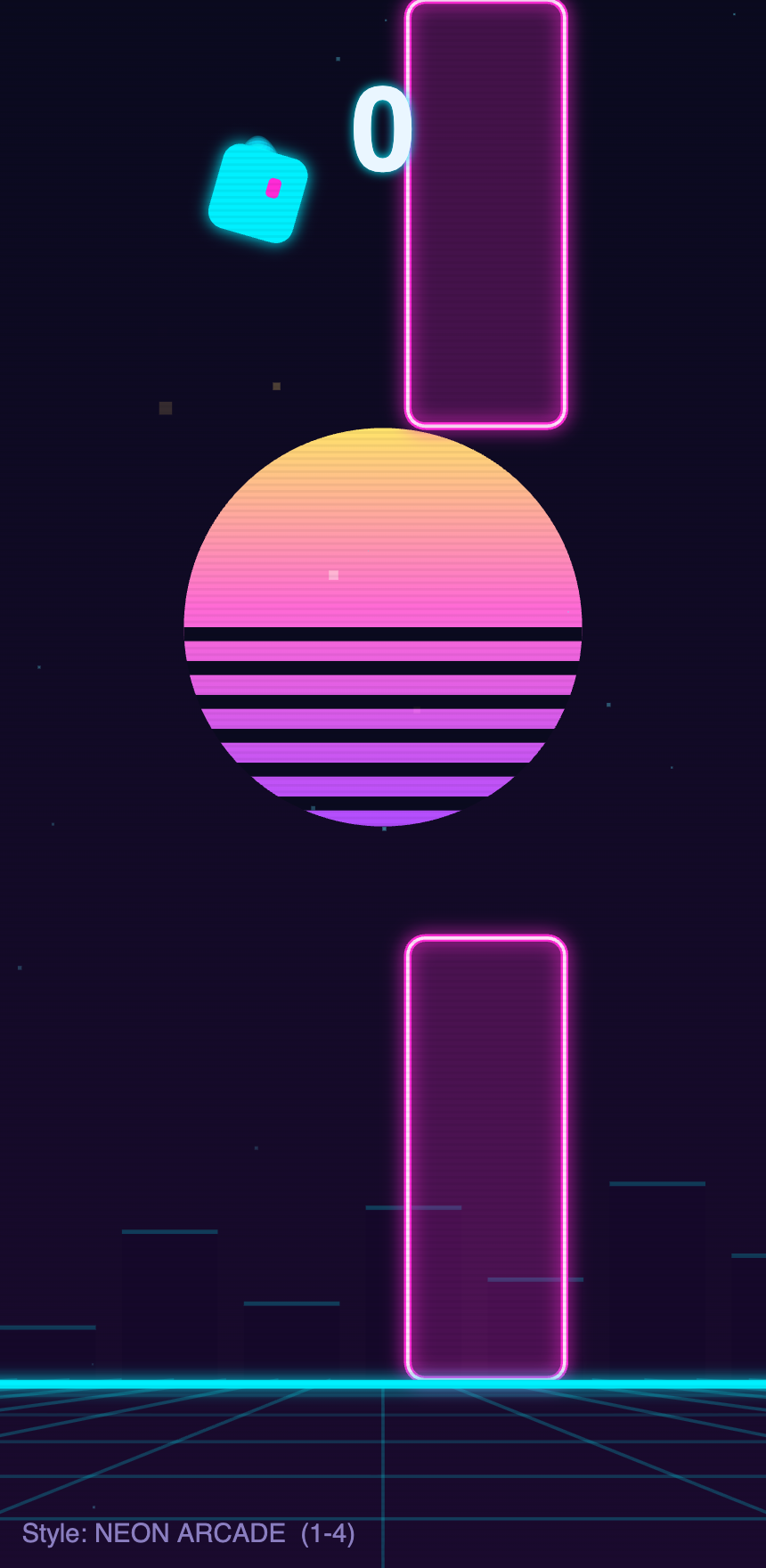
The goal. Get something on screen that I could actually play — a character that flies when I tap and falls when I don't. Ugly is fine. Buggy is fine. Playable is the bar.
The snag. When you've never built software, the setup is scarier than the building. Tutorials tell you to install five tools, create accounts, run mysterious commands in a black terminal window. Most people quit before they ever see their idea move.
What we did. We made one deliberate choice that removed almost all of that pain: the entire game would be a single file you open in a web browser. No installs, no build tools, no accounts. Just one file — open it, and the game runs. Double-click, play.
That sounds like a limitation. It was actually a superpower:
- Instant feedback. Change something, refresh the browser, see it immediately.
- Nothing to break. No tangled setup to maintain or update.
- Works everywhere. The same file runs on a laptop, a phone, anywhere with a browser.
The AI wrote that first version: a glowing dot that flew up when I tapped and fell when I didn't, with obstacles scrolling toward me. It looked like nothing. It was thrilling, because it was mine and it worked.
The lightbulb. Reduce the distance between "I had a thought" and "I can see it on screen" to almost zero. That short loop — tweak, refresh, react — is the engine of the entire project. Everything else is just doing that loop a few thousand times.
👉 Working with your AI partner
The single-file, no-setup approach isn't just easier for you — it's easier to collaborate with an AI on, because the whole project is one thing you can both look at.
How the loop actually went:
- I'd say what felt wrong — "the falling feels too fast and floaty at the same time."
- The AI would adjust the numbers that control gravity and the tap strength, and explain
what it changed in plain terms.
- I'd refresh and feel it. Better? Keep it. Worse? "Nope, go back." (Tip: it's fine to
literally say "undo that, I liked the last one better.")
Two habits worth stealing:
- Tune by feel, in small steps. Game feel is a dial, not a fact. Ask for small nudges
("10% less gravity") and judge with your hands, not your head.
- Ask "is there a simpler way?" often. Early on the AI suggested keeping everything in
one file with no extra tools. That suggestion saved countless hours later.
🛠️ Try it yourself
- Ask your AI assistant for "a single self-contained HTML file I can double-click to run"
for your idea. Avoid anything that needs installing tools on day one.
- Get the dumbest possible version working first — a shape that responds to a tap. Resist
the urge to make it pretty.
- Practice the loop ten times in a row: change one thing, refresh, react. Notice how fast
ideas turn real. That speed is the whole game.
→ [Chapter 03 — Making It Feel Good](03-making-it-feel-good.md)
Making It Feel Good
The difference between a toy and a game is a thousand tiny touches called "juice."
The goal. Take the working-but-lifeless first version and make it satisfying — the kind of thing where dying makes you immediately tap "again."
The snag. "Fun" isn't a feature you can add. It's the sum of dozens of tiny details, most of which you don't consciously notice while playing — but you'd absolutely notice if they were missing.
What we did. Game designers have a word for this: juice. It's all the little reactions that make the game feel alive and responsive. We added them one at a time:
- A small screen shake when you crash, so a hit lands.
- Particles — little bursts of color when you grab a coin or destroy something.
- A trail behind the character so motion feels fast and smooth.
- Sound for every action: a blip on tap, a chime on pickup, a thud on death.
- A tiny squash and stretch so the character feels springy, not rigid.
- A score that pops when it ticks up, and a "so close!" message when you just miss your
best — a nudge to try again right now.
None of these change the rules of the game. All of them change how it feels to play. Add them up and a flat little demo becomes something your hands don't want to put down.
The lightbulb. Players can't tell you why a game feels good, but they can instantly tell that it does. Juice is mostly invisible and almost entirely responsible for whether people keep playing. Budget real time for it — it's not polish-at-the-end, it's the product.
👉 Working with your AI partner
Juice is a perfect thing to build with an AI, because each touch is small, self-contained, and easy to judge by feel.
How we worked:
- I'd name a feeling I wanted: "crashing should feel more impactful." The AI would suggest
options — screen shake, a flash, a sound, a slow-motion beat — and add one to try.
- I'd refresh and react. Too much shake is nauseating; too little is limp. We dialed it in
together over a few quick rounds.
- When something was great, I'd say "lock that in" so we wouldn't accidentally lose it.
A subtle but important point: I learned to protect the things that already felt good. Once the core game felt right, I'd tell the AI "the core feel is locked — add and decorate, but don't change the handling unless I ask." That keeps experiments from quietly ruining the part you nailed.
🛠️ Try it yourself
- Make a "juice list" — every little reaction you can imagine (shake, particles, sound,
pops) — and add them one at a time, judging each by feel.
- Add sound early. It's astonishing how much more alive a game feels the moment actions
make noise. Ask the AI to generate simple sounds in code so you don't have to hunt for audio files.
- Once the core feels right, say so out loud to your AI partner and ask it to treat the
handling as locked. Decorate freely; protect the foundation.
→ [Chapter 04 — Dressing It Up](04-themes-and-art.md)
Dressing It Up: themes, art-by-code, sound
You don't need an artist. You need a description and a willingness to iterate.
This chapter is written as we build it. What it covers:
- How we made multiple visual themes (neon arcade, deep space, cute cartoon, farm,
stadium, and more) that the player can switch between — and why offering a choice makes people feel ownership.
- Art made entirely from code (no drawing, no asset files): shapes, gradients, and
glow drawn on the fly, so a non-artist can still ship a good-looking game.
- Generating sound in code instead of hunting for audio files.
- The trick of building one theme well, then asking the AI to vary it into the others.
👉 Working with your AI partner
Describe a mood ("retro 80s sunset, neon and purple") and let the AI translate it into colors and shapes. Judge by screenshot, refine, repeat.
🛠️ Try it yourself
- Pick one strong look first; perfect it; then spin up variations.
- Ask for art drawn in code so you don't depend on finding/licensing images.
More Ways to Play: game modes
One game, many ways to enjoy it — and a racing saga that taught us to listen to how a thing feels, not just whether it works.
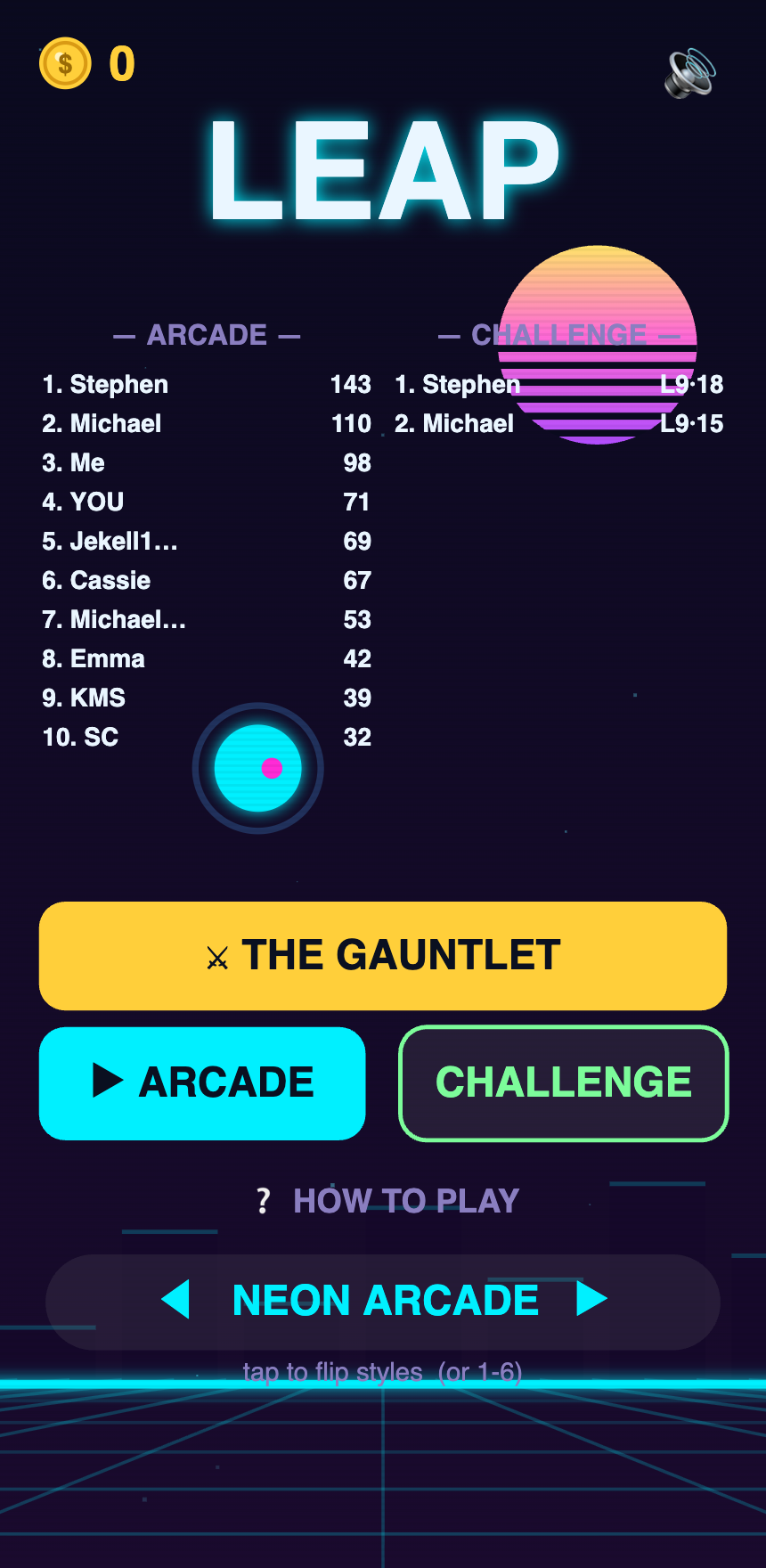
The goal. Once the core "tap to fly" game felt good, the cheapest way to add depth wasn't a second game — it was more modes: different rule-twists on the same engine. An endless arcade run. A pure "one mistake and you're out" classic. A level-by-level challenge. A high-stakes Gauntlet. And, the one this chapter is really about, a racing mode. Each new mode is a fresh reason to come back, built on the foundation we already trusted.
The snag. Racing is where I learned the difference between works and feels right — the hard way, across about five rewrites.
Version one was a time-trial through the usual pipes: same course every run, and clipping a pipe slowed you down instead of killing you, so you raced the clock. It worked. I played it and told my AI partner the truth: it's frustrating — you're constantly correcting, you never build any speed, and there's no sense of flow. That one sentence — about the feeling — was worth more than any bug report.
What we did. We threw the pipes out. The new Race is an open sky: you build momentum by chaining floating boost rings, and clipping a hazard costs you that momentum instead of ending the run. Suddenly it had the rush I was after. But the next playtest note was just as telling: it's choppy — speed up, slow down, speed up — like gas-and-brake. The culprit was a tiny design choice (each ring gave a short turbo burst). We made rings feed momentum smoothly instead, and the stutter became a glide.
Then I wanted an opponent. We added a computer rival — and it was unbeatable, because it ran on a fixed "perfect" pace while I had to actually fly. So we rebuilt it as a real flyer with a skill level that makes it fumble sometimes. Now it was too easy. The fix was the most "obvious in hindsight" idea of the whole project: let the computer grab the speed boosts too, like I do. Once the rival played by the same rules, it became a genuine fight.
From there it almost designed itself: three rivals of similar skill, a Grand Prix of three races with points for each finish, and — because finishing a cup should feel like something — a podium celebration where the winners fly in and land on their steps, a trophy drops in, and confetti rains. Same engine the whole time. No second game.
The lightbulb. Two of them. First: *playtest feedback about feeling ("it's choppy," "no flow," "it's frustrating") is gold — more useful than "there's a bug," because it points at the experience, which is the actual product. Second: build modes on top of one engine, never fork it.* Every fix to the shared core — physics, themes, the finish line — improved all of them at once.
👉 Working with your AI partner
- Describe the feeling, not the fix. "It feels like gas-and-brake" let the AI find the real cause (a burst vs. a smooth build) faster than I could have by guessing.
- Ask it to build each new mode on top of the existing game, reusing the same loop, rather than copying it into a new file. One improvement then benefits every mode.
- Expect to iterate out loud. The racing mode went unbeatable → too easy → fair over several passes. That back-and-forth is the design process; don't treat the first version as the answer.
- When something should feel like a moment (winning a cup), say so. "Make the ending a spectacle" turned a plain results screen into a podium with confetti.
🛠️ Try it yourself
- List 2–3 "rule twists" on your core loop (race the clock, survive longest, beat a rival) and prototype the simplest one first.
- After you play it, write down one sentence about how it feels — good or bad — and hand that to your AI partner before asking for any change.
- Keep every mode pointing at the same engine. If you catch yourself copy-pasting the whole game to make a mode, stop and ask the AI to share the core instead.
Going Global: online leaderboards
Competing against the world is the moment a toy becomes a game people talk about.
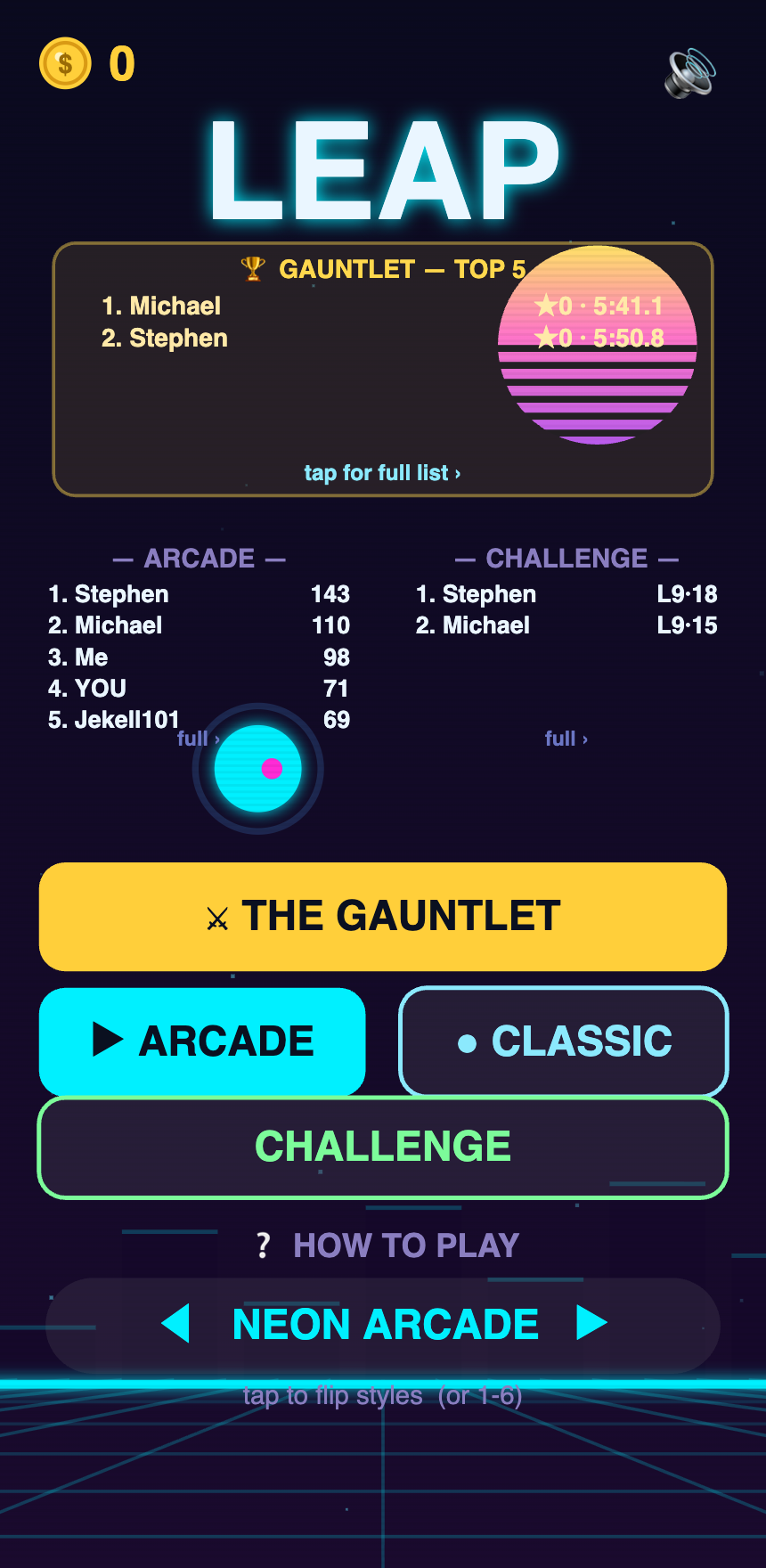
This chapter is written as we build it. What it covers:
- Adding a worldwide leaderboard without running your own servers, using a free
cloud database tier.
- How scores get saved and read back, and how the game still works offline when the
cloud isn't reachable.
- Keeping it honest: simple rules so the board can't be flooded with garbage scores.
- The safety habit of never putting secret keys where players can see them.
👉 Working with your AI partner
Ask for the free-tier path and for the offline fallback up front. Have the AI explain, in plain terms, what data goes to the cloud — you're the privacy owner.
🛠️ Try it yourself
- Decide the single number that defines "winning," and store just that plus a name.
Coins, Not Cash-Grabs: a fair economy
Players can smell a money trap. Trust is worth more than a quick dollar.
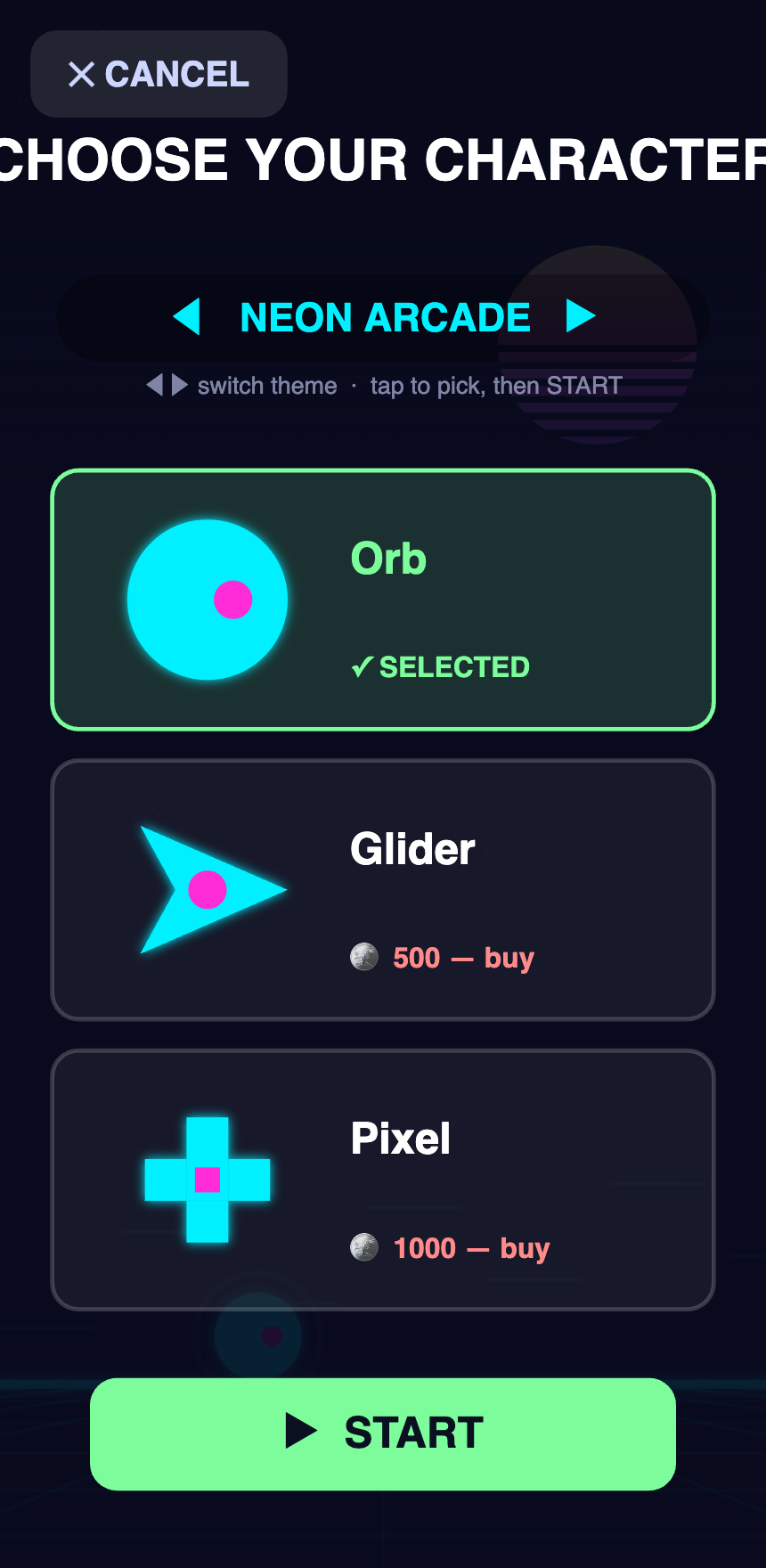
This chapter is written as we build it. What it covers:
- Adding a single in-game currency (coins) players earn by playing.
- Spending coins on cosmetics (looks, characters, trails) — never on power.
- The principle we locked in: no pay-to-win. Nothing you buy makes you better at the
game, so the leaderboard stays fair and players stay trusting.
- Anti-grind design: rewarding real progress without letting people farm coins mindlessly.
👉 Working with your AI partner
State your values as rules ("cosmetics only, never power") and ask the AI to hold the whole design to them. It will flag when a new feature would break the rule.
🛠️ Try it yourself
- Write your one-line money philosophy before you add any purchases. Design backward from it.
The Comeback Machine: getting players to return
Making a fun game is half the job. Giving people a reason to come back tomorrow is the other half.
This chapter is written as we build it. What it covers:
- The three jobs of retention: **why open the app today, why keep playing right now, why
come back next week** — and the features that serve each.
- What we actually built: a daily prize spin, an in-run combo reward, **"so close!"
near-miss nudges, a weekly season reward track, login streaks, and quests**.
- Why we made every reward coins/cosmetics only so retention never becomes pay-to-win.
- The strongest return-trigger of all — notifications — and how we wired them for later.
- Doing this ethically: rewarding genuine fun, not exploiting people.
👉 Working with your AI partner
Ask the AI to map features to the three jobs above so you build reasons-to-return on purpose, not at random. Have it keep rewards fair-by-design.
🛠️ Try it yourself
- Add one daily reason to open the app (a free daily reward) before anything fancier.
Putting It Online: hosting & auto-deploys
Going from "it runs on my laptop" to "anyone on earth can play it" — for free, and automatically.
This chapter is written as we build it. What it covers:
- Publishing the game to a free hosting service so it has a real web address.
- Setting up automatic deploys: every time we save a change, the live site updates
itself — no manual uploading.
- The idea of a preview link — a private copy of upcoming changes to test before they
go live to real players.
- A cautionary tale about an old hosting account that quietly caused problems, and why
one clean setup beats two half-configured ones.
👉 Working with your AI partner
Ask for the free tier and for "deploy automatically when I save changes." Have the AI write the automation once; then it just works in the background forever.
🛠️ Try it yourself
- Get your project a real URL today. Seeing it live, on your phone, is a huge motivator.
The Team Room: automating updates
Even a team of one benefits from a room where progress announces itself.
This chapter is written as we build it. What it covers:
- Wiring the project to a Discord channel so every new version posts itself there
automatically — a living changelog your friends or testers can follow.
- The difference between the raw dev log (technical) and a friendlier story feed
(like the book you're reading) — and why we gave each its own channel.
- How "post when something ships" keeps everyone in the loop with zero extra effort.
- A real limitation we hit: some apps (like Discord's mobile app) can't do certain setup
steps — and how to work around them.
👉 Working with your AI partner
Automation like this is a perfect AI task: describe the outcome ("post our changes to this channel when we publish"), and let it build the plumbing once.
🛠️ Try it yourself
- Create one channel where your project's progress posts automatically. Momentum loves an
audience, even a small one.
Testing Without a Phone
How do you know a change works if you can't tap through every version yourself? You teach the computer to check — and to show you.
The goal. Ship changes confidently without manually replaying the whole game every time — and, later, see how the game looks as a real phone app before owning the right hardware or paying for a store account.
The snag. A human can glance at a screen and instantly say "that text is covering the bird." A coding AI can't see — it works with code, not pictures. And early on I was only testing in a desktop browser, which doesn't prove much about how the game behaves inside a real phone app.
What we did. Two habits, both about proof over promises.
First, the AI verifies its own work. It runs the game's code in a test harness and renders screenshots of each screen, then looks at those images to catch layout problems — a banner over the bird, a button off the edge — the way a person would. "Prove it works" became a normal thing to ask, and it caught real bugs before any player saw them.
Second, the Simulator. When we set the game up to build as an iPhone app, we didn't need to own an iPhone to check it. Apple's tools include a Simulator — a fully working iPhone right on the computer screen. We launched LEAP inside it and watched the actual app boot up: home screen, buttons, the works, exactly as it would on a phone in someone's hand. Free, instant, and honest.

The lightbulb. "I can't test this myself" is almost never true anymore. Between code harnesses, auto-screenshots, and device simulators, there's nearly always a way to see a change working before you trust it — you just have to ask for it. (In fact, every screenshot in this book was made this way: the AI rendered each version of the game and captured it.)
👉 Working with your AI partner
Ask the AI to show you, not just tell you — screenshots, test results, a walk-through of the edge cases — before you believe something's done. The phrase "prove it works — show me" is one of the most useful things you can say.
🛠️ Try it yourself
- Before publishing, view the change on a preview link on your actual phone.
- For app builds, use the device Simulator to see the real app without owning the device.
- Make "prove it — show me a screenshot" a standing request. A good AI partner won't mind.
To the App Store
The last mile: turning a web game into real apps people download — and discovering the final hurdle isn't code at all.
The goal. LEAP already lived on the web, playable in any browser. But "playable in a browser" and "downloadable from the App Store and Google Play" are different worlds. This stage is about turning the same game into a real app that installs on a phone from the official stores.
The snag. Two of them — and the second one was a surprise.
First, the technical one: an Apple App Store build can only be made on a Mac. For most of this project I'd assumed I could dodge that. Android can be built "in the cloud" on rented build machines, no Mac required, and that was the plan. iPhone is stricter — at some point a real Mac has to compile the app. So for a long time, iPhone was simply parked.
Then I got a Mac, and the whole iPhone path opened up in a single sitting. We installed Apple's developer tools, added the iPhone "wrapper" around the game (the same kind of web-inside-an-app shell we'd used for Android), and within the hour LEAP booted up inside a simulated iPhone right on the screen — home screen, PLAY button, the little ship drifting through space, all running as a genuine iOS app for the first time. Honestly, that part was almost anticlimactic. It just worked.
Which led to the real snag — the one nobody warns you about. *Getting the app to build is the easy half. Getting permission to publish it is the slow half.* To put an app on the App Store under a studio's name, Apple wants proof the studio is a real business: a registered company, plus a special business ID number (a "D-U-N-S number") that an outside agency issues — and that issuance can take up to two weeks. None of that is code. It's paperwork, a naming decision, and waiting.
What we did. We split the work cleanly into things the computer can do today and things only a human can decide.
The computer side we finished in one session: install the tools, wrap the game, and — crucially — prove it runs on a simulated iPhone before trusting anything. (A screenshot of the game actually running is worth more than any "it should work.")
The human side we wrote down so it couldn't get lost — one checklist the whole studio shares, because a single developer account publishes all our games:
- Decide the official business / studio name — it becomes your public "seller" name, and it's painful to change later.
- Register the business under that name.
- Request the D-U-N-S number — free, but slow, so start it early.
- Enroll in the Apple Developer Program — about $99 a year.
- Then the per-game store paperwork: listing, screenshots, privacy policy, age rating, submit.
Google's side is gentler: a one-time ~$25 account, no business-ID gauntlet.
The lightbulb. The blocker was never the technology. I'd spent ages assuming "ship to iPhone" was a hard coding problem. It turned out the code took an afternoon — the real long pole is a business decision (what are we even called?) and a paperwork clock I don't control. Knowing that flips your whole plan: you kick off the slow paperwork first, in the background, and do the fun build work while it churns.
👉 Working with your AI partner
A checklist-and-dashboards stage is exactly where an AI partner earns its keep. I had it install and configure the Mac tools step by step — explaining each one as a non-coder needs — wrap the game, and actually launch it in the simulator and screenshot it so we had proof, not a promise. Then I had it write the shared launch checklist in plain English and file it where the whole studio can see it. The thing to watch: an AI will happily set up tools, but it can't make the human calls — it can't pick your company name, register your business, or pay Apple. Ask it to call those out separately so you always know which balls are in your court.
🛠️ Try it yourself
- Start the slow stuff first. If you'll publish under a business name, decide the name and request your D-U-N-S number now — it can take two weeks, and everything downstream waits on it.
- Prove it runs before you celebrate. Don't trust "it built." Launch the app in the phone simulator and look at it with your own eyes.
- Write one launch checklist and keep it shared. If you'll publish more than one app, the accounts and business setup are done once for all of them — treat them as shared groundwork, not per-game chores.
- Skim the store rules early (privacy policy, age ratings, data-safety) so nothing surprises you at the finish line.
- *Lead your store screenshots with the action, not the menus.* Our first set opened on a title screen with a tiny bird — it sold nothing. The reshoot leads with a mid-action frame (the character firing, threading a gap, a power-up floating in) and a one-line caption on each, in the order of the hooks: play → evolve → race → compete → collect. Someone scrolling the store decides in about a second; give them the fun in frame one.
Working With an AI Build Partner
The skill that replaced "learning to code" wasn't a new programming language. It was learning how to collaborate with an AI that already knows them all.
This is the chapter the rest of the book is secretly about. Every other chapter is a what — leaderboards, hosting, retention. This one is the how it was possible at all for someone who doesn't write code.
The goal. Turn a person with ideas (me) and an AI that can write software into a team that actually ships.
The snag. An AI coding assistant is wildly capable, but it isn't magic and it isn't a mind reader. Treat it like a vending machine — type request, expect perfection — and you'll be frustrated. Treat it like a talented teammate who needs clear direction and honest feedback, and it's transformative.
What we did. Over the project, a handful of habits turned into a reliable way of working.
The habits that made it work
- Describe the experience, not the implementation. I don't know the technical words,
and I don't need them. "It should feel floaty but responsive" and "players should feel a little panic when the screen gets crowded" are excellent instructions. The AI translates feelings into code.
- Work in a tight loop. Ask for one thing, look at the result, react, repeat. Small
steps you can actually judge beat giant requests you can't.
- Give honest, specific feedback. "That's worse" is useful. "The wheel spins but the
text is too small and it doesn't feel exciting when I win" is gold. Point at exactly what's off; the AI fixes faster the more precisely you describe it.
- Keep an external memory. A part-time project spans many sessions, and each new
conversation starts fresh. We kept a short "where we are / what's next" notes file in the project that the AI reads at the start and updates at the end of every session. That single habit is why weeks of on-and-off work stayed coherent.
- Protect what's good. Once something felt right, I said so explicitly — *"this is
locked, don't change it unless I ask."* Otherwise a new feature can quietly undo an old win.
- Ask it to check its own work. The AI can't always open the game the way you can, so I'd
ask it to verify — to test its own changes, render screenshots, or reason through the edge cases — before declaring something done. "Prove it works" is a fair and useful request.
- Let it teach you, lightly. I didn't try to become a programmer. But every time the AI
explained why it did something, I understood the project a little better — enough to make better decisions next time. You absorb a surprising amount just by collaborating.
The lightbulb. The valuable skill in this new world isn't memorizing syntax — the AI has that covered. It's knowing what you want, describing it clearly, judging the result honestly, and keeping the plan. Those are taste-and-communication skills, and you already use them every day. That's why a non-developer can now do this at all.
👉 Working with your AI partner (about your AI partner)
- You are the director, not the audience. The AI proposes; you decide. Your taste is the
most important input in the whole project.
- It's okay to not understand everything. You don't need to read the code. You need to
play the game and tell the truth about how it feels.
- Disagree with it. If a suggestion feels wrong for your vision, say so. It's a
collaborator, not an authority.
🛠️ Try it yourself
- Start every work session by having the AI **read your notes file and summarize "where we
are and what's next." End every session by having it update that file.**
- Keep a running list of "locked" things that feel right and shouldn't change.
- When you give feedback, point at the specific thing and describe the gap between what
you got and what you wanted. Precision is the cheat code.
- Ask, regularly: "Is there a simpler way to do this?" and *"Can you verify this works
before we move on?"*
The Bug Sweep
Every so often you stop adding new things and go looking, on purpose, for what's quietly broken.
The goal. A game that keeps growing also keeps collecting tiny cracks. A countdown that's right for you but wrong for a player in another timezone. A button that can fire twice if you tap it fast. A saved "ghost" race that gets silently cut short. None of these crash anything, so nobody files a complaint — they just make the game feel a little off. A bug sweep is a session where the whole job is to hunt those down before a player ever meets them.
The snag. You can't fix what you can't see, and the worst bugs are the polite ones that never announce themselves. Reading 4,500 lines of code looking for "anything subtly wrong" is exhausting and easy to skim past.
What we did. We pointed the AI at the game in small, named areas — "review only the racing mode," "review only the leaderboard," "review only the daily rewards" — and asked it to report concrete bugs with exact line numbers, ranked by how badly they'd hurt a player. Then we did the part that actually matters: we checked every single claim against the real code before changing a thing. The handful that held up were fixed; the rest were thrown out.
The keepers from this round were exactly the quiet kind: the daily-reset clock counted down to the wrong midnight for anyone outside one timezone; a "watch an ad for double coins" button could burn your reward if the ad failed to load; and a slow race could get its saved ghost truncated, which then skewed the next race's progress bar.
The lightbulb. The AI's first sweep flagged a dozen "critical" bugs. Most of them weren't real — it had guessed at problems that the code already guarded against. That sounds like a failure, but it's actually the whole technique: treat the AI's bug report as a list of suspects, not a list of verdicts. The cost of a wrong suspect is two minutes of checking; the cost of a missed real bug is a player having a bad time. Cast a wide net, then prove each catch before you act on it.
👉 Working with your AI partner
- Ask for bug hunts in small, named areas, not "find all the bugs." Focused beats broad.
- Demand evidence: "show me the exact lines that prove this is a bug." If it can't, it
probably isn't one.
- Be just as willing to hear "this area is clean" as a finding. A verified all-clear is a
real result, not a non-answer.
- Watch for the AI "fixing" things that are actually deliberate design — make it ask first
when a change would alter how the game feels or plays.
🛠️ Try it yourself
- Put a recurring bug-sweep on the calendar — say, before each release or every couple
of weeks. Adding-features time and finding-bugs time are different moods; don't blur them.
- Have your AI partner write its findings down with line numbers, then walk you through the
proof for each before you approve any fix.
- Keep a short "looked at, all good" list too — next time you'll know what you can skip.
→ [Chapter 15 — The Rename: LEAP Becomes Jubo](15-the-rename.md)
The Rename: LEAP Becomes Jubo
The bravest thing we did to the game wasn't a feature. It was giving up a name we'd used for months — on purpose, right before launch.
The goal. Give the game a name it could actually own — one that could grow into a brand, a character, a thing people recognize — instead of a nice-but-generic word that a hundred other apps already share.
The snag. The game already had a name. LEAP. We'd been calling it that for the entire build. It was on the title screen, in the screenshots, in every chapter of this book, in our own heads. Changing it meant admitting the name we'd been happily using for months wasn't the right one — and doing the swap late, when the easy, comfortable move is to leave it alone and ship.
And here's the quiet trap: "LEAP" isn't a bad name. It's punchy, it fits a jump-and-fly game, it feels good to say. That's exactly what makes it dangerous. A name that's merely fine is the hardest kind to give up, because nothing is obviously wrong with it. You have to talk yourself out of "good enough" and toward "right."
What we did. We stepped back and asked a bigger question than "what should this game be called?" We asked: what makes a game brand last for decades?
Look at the games that became household names — Sonic, Mario, Kirby, Crash, Pac-Man. Notice the pattern: they're named after a character, not an activity. Not "Fast Hedgehog Runner." Not "Jump Quest." A hero — a face you can put on a shirt, a plush toy, a sequel, a spin-off. The character is the thing people fall in love with, and the character's name becomes the brand. The game is just where you first meet them.
"LEAP" described what you do (you leap). It had no hero in it. And as a plain English word it's everywhere — try to imagine trademarking "leap," or being the top result when someone searches it. You can't own a common verb. It's crowded, generic, and unprotectable.
So we made two decisions at once, and each one made the other stronger:
- Commit to a single mascot hero — one recognizable character the whole game is built around. Ours is a purple comet-bird: a little glowing flyer with a streaking tail, blazing through the obstacles. Not a shape you steer — a someone.
- Name the game after that hero — a short, made-up, ownable word. We chose Jubo.
"Jubo" isn't in the dictionary, and that's the entire point. It's short, friendly, easy for a kid to say, and — because nobody else is using it — it's the kind of name a small studio can actually trademark and own. "LEAP" you share with the whole world. "Jubo" is ours.
Then we did the unglamorous cleanup that a real fresh start requires. We changed the name everywhere it's a name — the title screen, the store-listing plans, this book. And we wiped the old leaderboard. It only held a handful of throwaway scores from testing — no real players had truly competed yet — so there was nothing to lose and plenty to gain: Jubo starts with a clean board and a fair, empty ladder. Day one for the brand is day one for the scores.
The lightbulb. A named character is the real asset — the thing that makes a studio sellable. A game can be copied. A genre is free for anyone to use. But a hero with a name, a look, and fans is intellectual property — the one thing that's genuinely yours, that can grow into sequels, merchandise, and a studio someone might one day want to buy. We weren't just relabeling a game. We were creating the first real piece of property the studio owns.
And the timing was the whole trick. Pre-launch is the one cheap moment to do this. Before a single real player has learned the name, before it's printed on a store page people have bookmarked, before reviews and word-of-mouth are tied to it — a rename costs almost nothing but nerve. One month after launch, the same change would mean throwing away every player who knew the old name. The window was open right now, and it was about to close for good.
That's the honest, slightly uncomfortable heart of this chapter: choosing the long-term brand over the sunk cost took a gut-check. We'd spent months on "LEAP." Every instinct says keep going, you're almost done. But building something meant to last sometimes means spending your last cheap window on the least glamorous task on the list — and trusting that a name you can own is worth more than a name you're merely used to. That nerve is the story.
👉 Working with your AI partner
A rename sounds like a five-minute find-and-replace — and that mindset is exactly how you break things. The word "leap" wasn't only the brand. It was also woven through the plumbing: internal labels, saved-progress keys, the web address, the code project's own name. Change the wrong "leap" and you either wipe every player's saved coins or take the live site down.
So the useful way to work with an AI partner here is to make it *draw a hard line between the brand and the plumbing. We asked it to change the name only where it's a human-facing word — titles, headings, the story — and to leave every technical identifier exactly alone, listing anything it wasn't sure about instead of guessing. Something as simple as: "Rename the game to Jubo in the writing, but do not touch anything that could be a settings key, a web link, or a filename — flag those for me instead."* That one sentence is the difference between a clean rebrand and a broken game. An AI is wonderful at the tedious, careful sweep; your job is to hand it the guardrails and keep the two kinds of "leap" from ever getting confused.
🛠️ Try it yourself
- Name the hero, not the verb. If your project could ever become a brand, ask: is there a character here? Name the game after them, not after what the player does.
- Prefer a made-up, ownable word over a common one. If you can't picture trademarking it or winning the search results for it, it's probably too generic to own.
- Do it before launch, or wait a long time. A rename is nearly free before you have real users and painful after. If a name has been nagging you, the cheap window is now.
- Separate the brand from the plumbing first. Rename the words; never blindly rename saved-data keys, links, or filenames. Have your AI partner flag every ambiguous one so you can change those deliberately, one at a time.
- Start the new identity clean. If there's throwaway data tied to the old name — a test leaderboard, dummy accounts — clearing it so the brand begins fresh is a feature, not a loss.
The Machine: Building the Thing That Builds the Games
The most valuable thing we made wasn't a game. It was the system that makes games — the moment the project stopped being "a game" and started being "a studio."
The goal. Stop hand-building every game from scratch. Build a repeatable line — a set process that carries an idea from a single sentence all the way to a finished, sellable app — so that two people can ship not one game, but many.
The snag. Up to now, everything was handwork. We designed each screen by hand, made each store picture by hand, dragged each file into the right folder by hand. That's fine for one game. It falls apart the moment you want a second, and a third. The bottleneck was never the computer — it was us. Every game needed a founder's hands on every step. A studio that works that way can only ever be as big as the hours its founders can stay awake.
There's a quieter trap, too. When everything lives in one person's head — how we name things, where files go, which steps come in which order — the company is that person. You can't hand it to a teammate, and you certainly can't sell it. Knowledge that isn't written down isn't an asset. It's a liability wearing a disguise.
What we did. We stopped thinking of ourselves as people who make games, and started thinking of ourselves as people who build the factory that makes them. Three moves, together:
- We wrote the process down as a real assembly line. Eight plain stages — have the idea, decide if it's worth doing, set up the new project, build it, review it, package it for the store, ship it, and learn from how it does. For each stage we said out loud who owns it and where a human has to sign off. Writing it down is the whole trick: it turns a pile of good habits into a line you can run again and again, and it lets a new person read how we work instead of absorbing it over months.
- We gave the AI a staff. Instead of one all-purpose assistant, we set up a small crew of specialists — one that builds and polishes the games, one that thinks about brand and how a game gets found, one that watches the money, and reviewers that check the code and the legal and the books. Each has a job and, just as important, a limit: none of them spends money, signs anything, or ships to a store without one of us saying yes. It's an org chart. It just happens to be made of software.
- We automated the most tedious, repeatable steps first. Two things that used to eat an afternoon each now happen on their own. Making a game's store pictures — the banner, the screenshots — became a single command that builds them straight from the real game. And getting a game's art and assets into our shared company drive became automatic: the moment we save a change, a copy quietly appears in the right folder, for any game, without anyone dragging a single file.
The part I'm proudest of is how we made that automatic copying safe. The naive way is to hand the robot a password and hope it never leaks — and stored passwords are exactly the thing that leaks and hurts companies. So we insisted on the modern, keyless way instead: our build system proves who it is directly, and briefly borrows only the access it needs, only when it needs it. Nothing is stored, nothing can be copied off a laptop, nothing has to be changed if someone leaves. It was a few more steps to set up — and worth every one.
And we set the whole thing up once, at the company level. It now covers every game and every teammate, on any device, with nothing to install and no secret to hold. When my co-founder pushes a change from his own machine, it just works. He never had to set up a thing.
The lightbulb. The factory is the asset — not any game that rolls off it. A game can be copied. A genre is free for anyone to use. But a documented, running system for producing games cheaply and consistently is a real, ownable thing: it's what lets two people act like a much larger team, it's what a new hire can plug into on day one, and it's what an eventual buyer is actually paying for. Games are the output. The machine is the company.
There's a business shape hiding in here, too. Once the cost of trying one more game falls close to zero, you can afford to be wrong often and cheaply — ship many small, fair games, see which ones players love, and pour your attention only into those. That strategy is impossible by hand and obvious once the line exists.
👉 Working with your AI partner
This is the chapter where the AI stops being a helper and becomes something more like a workforce — but only if you make it write things down. The single most useful instruction we gave was: "Before you build any of this, describe the whole process for me in plain English, as a document a non-coder could read." That document became the blueprint everyone — human and AI — works from. Build first and you get a black box; write first and you get a company.
Two more things worth insisting on. First, make the AI verify its own work end-to-end, not just claim success — ours actually ran the real automation and then checked that the files had truly landed in the drive before it told me it worked. "It should work" and "I watched it work" are different sentences, and you want the second one. Second, when the AI offers you a quick-but-sloppy path and a slightly-longer-but-proper one — like storing a password versus doing it keyless — take the proper one now. Foundations are the things you can't cheaply redo later. The AI will happily do it right if you ask; it will also happily do it fast if you don't.
🛠️ Try it yourself
- Write your process down as stages. Even for a solo project: what are the steps from idea to shipped, and which ones only you can do? The list itself is worth an afternoon.
- Automate the most boring, most repeated step first. Not the exciting one — the one you dread doing for the tenth time. That's where automation pays back fastest.
- Give your AI specialists, not one generalist. Ask it to wear a specific hat — "as a marketer," "as a reviewer" — and you get sharper work than from one assistant trying to do everything.
- Never store a secret you don't have to. If a setup offers a keyless or no-password option, take it, even if it's a few extra steps. It's the difference between a foundation and a future emergency.
- Keep a shared "company memory." One living document of how you work and why. It's what makes the operation something you can hand to a teammate — or one day sell — instead of something trapped in your own head.
The Honest Playtest
The goal. We had just rebuilt the whole game around a big idea: strip away every bolted-on mode and menu, and rebuild Jubo as two clean things — an endless arcade mode, and a Candy-Crush-style campaign of hand-authored levels. Twenty levels shipped to our private preview build, each one mathematically proven beatable. We were proud of it.
The snag. Then a founder actually played it. The verdict, typed from a phone at 1:37 AM, was the most valuable document the project produced that week: "Just played through all 20 levels in about 5 min. All of the levels seemed like the same. Not really sure why. Where are the enemies? Power ups? Was way too easy to complete and boring since no variety. Didn't see anything that was a boss to get past. Nothing happened after you beat level 20."
Every word of it was true. And here's the humbling part: our proof system — the one that guaranteed every level was beatable — had quietly encouraged the blandness. When you optimize for "provably safe," you drift toward wide gaps, gentle curves, and nothing that fights back. We had built twenty certified-boring levels.
What we did (plain English). Instead of throwing away the proof system, we taught it to prove harder things. We asked our AI game-design lead for a numbers-first diagnosis, and it measured exactly why the levels felt identical: every level lasted under 30 seconds, the flight path never left the middle quarter of the screen, and every gap was five times wider than it needed to be. Then it designed a 100-level campaign — five themed worlds of twenty levels, each world with its own enemies that behave differently: crows that dive off fenceposts, swarms of bees you weave through, laser gates that strobe on a rhythm, meteors that rake the sky, phantoms that only turn deadly when they turn solid.
The trick that made it all possible: every enemy's movement is pure math — a formula of time, with zero randomness. That means the same proof machine that checked empty pipes can now simulate every enemy, every moving gap, and every boss attack pattern, frame by frame, and refuse to ship any level a real player couldn't survive. Even the ten boss fights are proven: a boss in Jubo is a scripted gauntlet of readable attacks — walls of crows with one safe hole, sweeping tractor beams, coiling aurora serpents — and the checker flies every one of them before a player ever does. It caught three of our own design mistakes in the first hour, which is exactly what a good gate is for.
And the playtests kept coming — four rounds of them, each one a phone-typed list of things that still felt wrong. Round two: the first world was still too easy and the graphics needed to be better (a tuning bug was quietly flattening the difficulty we thought we'd shipped). Round three: the map was cluttered, the wings looked wrong, the old project name was still everywhere. Round four was the most granular yet: no visible progress bar for the character's evolution, evolutions arriving too fast to feel earned, coins always sitting dead-center in the gaps, a mini-boss that never shot anything. Each round the fix was the same shape: turn the complaint into something measurable, make the change, and make the proof machine re-certify all hundred levels before anyone played them again. By round four the "randomly" scattered coins weren't random at all — each one's position comes from a repeatable formula, so the checker can still prove every single coin is physically reachable. The game got harder, prettier, and more surprising, and the guarantee never lapsed.
Round five brought the best kind of feedback: ideas. Give the player a choice of two openings — one high, one low, a pipe between them. Let the bird finally shoot back, earning a new weapon at each world's boss. And from a friend in the Discord: what about cave levels, where instead of pipes the whole ceiling and floor rise and fall around you? Each idea had to pass the same bar as every complaint before it: the proof machine had to learn it. Forked pipes taught the checker to accept either opening; caves taught it to treat a winding tunnel as a thousand tiny walls it must fly the whole length of; and weapons — the easiest of all — needed no new proof, because shooting an enemy only ever removes a danger the checker already survived without firing a shot. The same round, a simulation of the laziest possible player caught two bosses that could still be beaten by parking in one spot, and both got new attacks that sweep every hiding place. When testers hand you ideas instead of bug reports, the game has crossed from broken to interesting.
The lightbulb. A guarantee is only as good as the thing it guarantees. "Every level is beatable" was never the promise players cared about — the promise is "every level is worth beating." The playtest note that stung the most ("all the levels seemed like the same") wasn't a request for more content; it was a reminder that difficulty, surprise, and spectacle are the content. The proof system's job was never to make the game easy — it was to let us make the game hard, fairly.
👉 Working with your AI partner
Raw, unfiltered playtest notes are the best prompt there is. We pasted the founder's 1:37 AM message into the session verbatim — typos, frustration, and all — and the AI turned each complaint into a concrete workstream, brought in its specialist personas exactly as asked, and reported back against every line of the original note. Don't sanitize your feedback for the AI; the annoyance is the signal. And when something "did nothing when tapped," the AI didn't guess — it traced the actual button events in a headless browser and found the button had been silencing itself. Insist on diagnosis before fixes; the first plausible explanation is often wrong.
🛠️ Try it yourself
- Playtest before you polish. Five minutes of a real person playing beats a week of the
builder admiring their own work. Write down their words exactly.
- Measure the boredom. "It feels samey" becomes fixable when you turn it into numbers:
how long is a level, how much of the screen do you actually use, how often does anything threaten you?
- Make your safety rails prove the fun version. If a checker or test suite only passes
the timid version of your idea, extend the checker — don't shrink the idea.
- Give every world its own villain. Variety isn't more of the same obstacle; it's a new
behavior the player must learn. One new behavior per world is plenty.
- End things. A completed chapter deserves a celebration, a reward you can't buy, and a
clear "here's what's next." Nothing kills momentum like beating the last level and having the game simply... stop.